Accounts Manager: house accounts and memberships, run from your POS
Manage credit and debit accounts, member and staff accounts, and digital membership cards from a single platform, connected to PowerEPOS in real time.
Already on PowerEPOS? Call 1300 784 666 to add Accounts Manager.
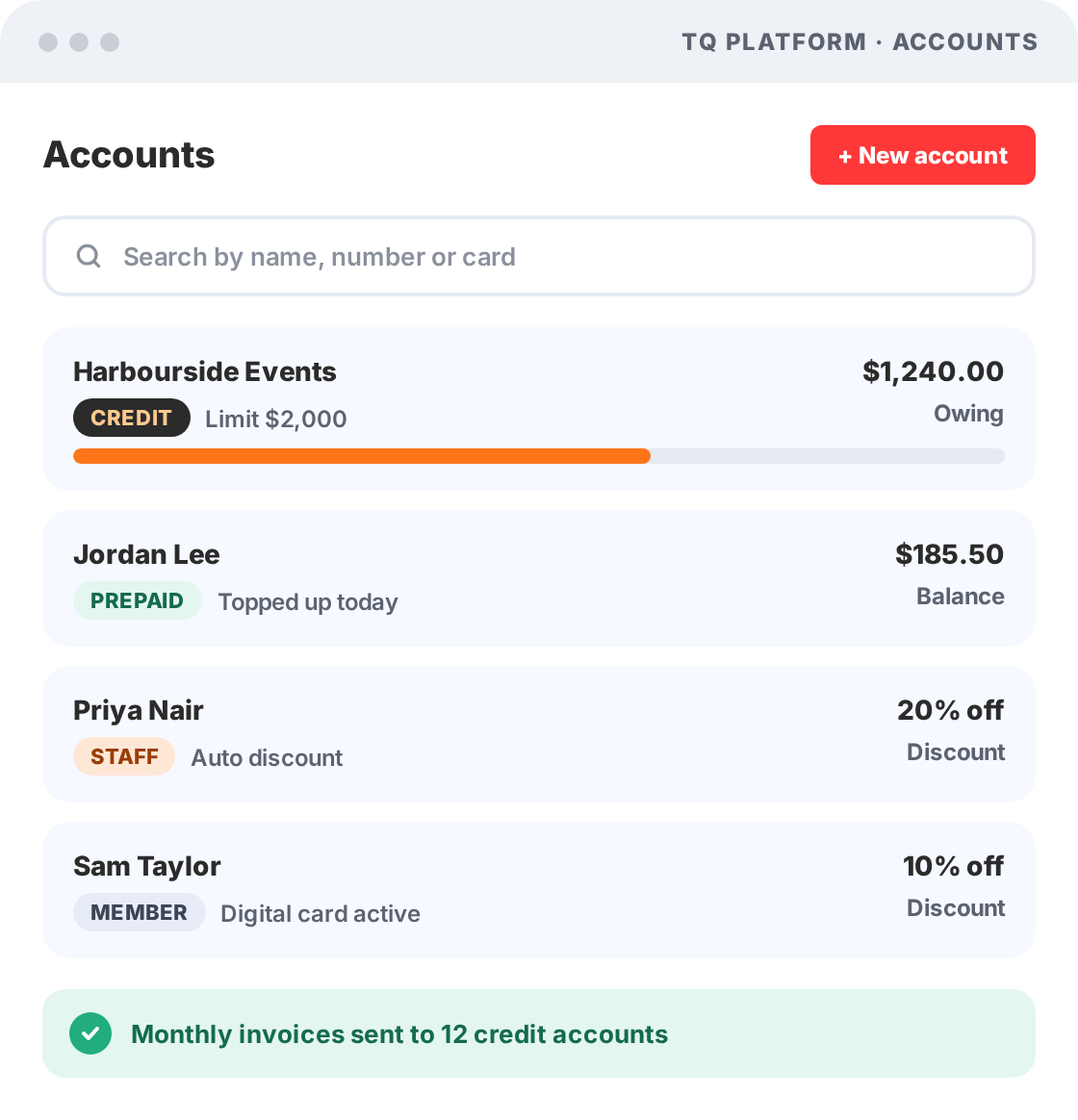
- Credit accounts with spend limits
- Prepaid top-ups at the POS
- Digital cards in Apple and Google Wallet
- No extra hardware needed
House account and membership software for hospitality
Accounts Manager is a PowerEPOS add-on for credit and debit accounts, and staff and member accounts. Your team can find, charge and manage every account at the POS, and members carry a digital membership card in their phone wallet. It suits pubs, bars, cafés and multi-site groups.
Credit accounts
Give corporate clients and regulars a house account with a spend limit, and send automatic invoices so you get paid faster.
Prepaid debit accounts
Customers top up at the POS and spend from their balance. No separate app, no delay.
Staff and member accounts
Staff and member discounts apply automatically, so they're accurate every time and no one has to ask or check.
Watch Accounts Manager in action
Take a quick tour of Accounts Manager and see how it works with PowerEPOS and TQ Platform.
Credit, prepaid, staff and member accounts in one place
Less admin for your team, and a better experience for your customers.
- Corporate accounts. Set the limit, and corporate spend stays on budget.
- Automatic invoices. Get paid faster and spend less time on admin.
- Prepaid debit accounts. Top up at the POS. No separate app, no delay.
- Staff discounts. Applied automatically and accurate every time.
- Member discounts. No one misses out, and no one has to ask or check. For points and rewards, see Loyalty.
Every account, one system
- CREDITSpend limitsPlus automatic invoices
- PREPAIDTop up at the POSSpend from the balance
- STAFFStaff discountsApplied automatically
- MEMBERMember discountsPlus a digital membership card
Look up any account at the POS by name, number or card.
POS account management features
Everything your team needs to run house accounts and memberships, without a separate system. Track the sales side in Sales Analyst.
Account management
Set up credit and debit accounts, and member and staff accounts, that your team can find, charge and manage from the POS.
- Top up and charge accounts at the POS
- Add a spend limit to credit accounts
- Look up accounts by name, number or card
Digital membership card
Members carry their card in their phone wallet. No plastic, no printing, no replacement costs.
- Stored in Apple Wallet or Google Wallet
- Generated from the member or admin portal
- Updates when account details change
Member portal
The member portal gives account holders their account information on demand.
- Account holders log in any time
- Check balance and transaction history
- Add their card to their phone wallet
Integrated with PowerEPOS
Accounts Manager connects to PowerEPOS in real time, so every charge and balance stays accurate.
- Charges sync as they happen
- Managed through TQ Platform
- No extra hardware or terminal needed
Spend less time on accounts and more time with guests
Accounts Manager takes care of limits, discounts and invoices, so your team can focus on service.
- Corporate accounts
- Prepaid accounts
- Staff accounts
- Member accounts
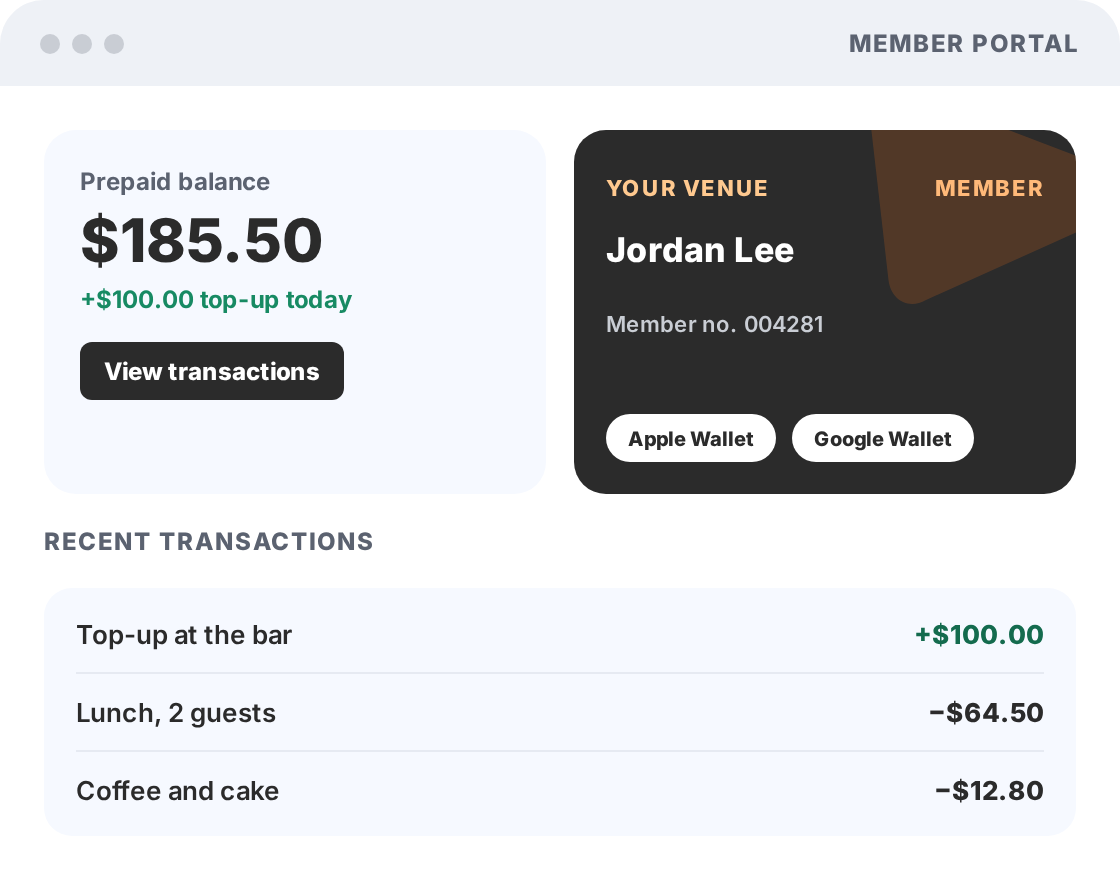
Digital membership cards in Apple Wallet and Google Wallet
Members carry their card in their phone wallet. No plastic, no printing and no replacement costs.
- Nothing to download. Cards live in the Apple Wallet or Google Wallet members already use.
- Always up to date. The card updates when account details change.
- Self-serve member portal. Members check their balance and transaction history any time.
- Quick to issue. Generate cards from the member portal or the admin portal.
Add Accounts Manager to PowerEPOS
No technical expertise needed. Accounts Manager works with the PowerEPOS terminals you already have.
How to add it
- Book a demo for a quick run-through
- Call 1300 784 666 or email sales@triniteq.com
- Our Australian team helps you get set up
- Australian-based support when you need it
Connected to how you trade
- PowerEPOS, at every terminal
- TQ Platform, online
- Apple Wallet and Google Wallet
- Your existing POS hardware
Accounts Manager is a monthly add-on per site. See current prices on our pricing page, along with Loyalty and Gift Cards & Vouchers.
Accounts Manager on an Australian-made hospitality POS
PowerEPOS is certified Australian Made. Triniteq was founded in Perth in 1997 and built for Australian hospitality. Why choose Triniteq.
Our Australian team helps you get set up, trains your staff and is there when you need support.
We don't take a cut of your sales. Choose from 20+ payment processors and switch without changing your POS.
One platform for thousands of venues, from single cafés to multi-site groups and major stadiums.
Run house accounts and memberships from your POS
Talk to our Australian team on 1300 784 666, or book a demo and we'll show you how Accounts Manager works with PowerEPOS.
Accounts Manager FAQs
What is Accounts Manager?
Accounts Manager is a PowerEPOS add-on for credit and debit accounts, and staff and member accounts. It gives members a digital membership card they can carry in their phone wallet, along with a member portal where they can check their balance and transaction history at any time.
How much does Accounts Manager cost?
Accounts Manager is a monthly subscription charged per site. For current prices, visit our pricing page or call 1300 784 666.
How does Accounts Manager connect to PowerEPOS?
Accounts Manager is integrated with PowerEPOS through TQ Platform, Triniteq's cloud admin portal. Charges made at the POS sync in real time, so balances are always accurate without staff needing to check a separate system.
Do members need to download an app?
No. The digital membership card is stored in a member's existing Apple Wallet or Google Wallet, so there's nothing separate to install. Cards are generated through the member or admin portal.
Can we set spending limits on accounts?
Yes. Accounts Manager lets you add spend limits to credit accounts, and staff can look up an account and check its balance at the POS by name, number or card.
Can Accounts Manager send invoices?
Yes. Accounts Manager generates invoices automatically for credit accounts, so you get paid faster and spend less time on admin.
How do staff and member discounts work?
Staff and member discounts are applied automatically at the POS, so they're accurate every time and no one has to ask or check. For points and rewards, see Loyalty.
Do I need extra hardware to use Accounts Manager?
No. Accounts Manager works through your existing PowerEPOS terminals and online through TQ Platform. There's no separate device or extra hardware required.
Is PowerEPOS made in Australia?
Yes. PowerEPOS is certified Australian Made. Triniteq was founded in Perth in 1997 and now supports hospitality venues nationwide. Support is provided by our Australian-based team.
How do I add Accounts Manager to my venue?
You can book a demo for a quick run-through, or if you're ready to go, email sales@triniteq.com or call 1300 784 666 to get started.